Choose around your next action
Consider Stock Island when…
You want selected stocks and supported spot crypto in a compact display, then a larger watchlist on hover. You prefer its Regular, Pixel or code-like Stealth presentation, and do your chart research elsewhere.
Consider staying with TickerNotch when…
You rely on its broader information slots or analysis features. Those needs are outside Stock Island’s scope. The developer’s current product page explains the available editions.
Try the workflow on your own Mac before moving your regular setup. Try Stock Island free for 7 days →
Stock Island vs TickerNotch: the essentials
| Decision | Stock Island | TickerNotch |
|---|---|---|
| Main display | Compact notch or floating ticker; hover for the watchlist | Notch-side strip; optional menu-bar pins |
| Mac requirement | macOS 13+; Apple silicon and Intel | Developer lists macOS 14+ |
| Focus | Stocks and supported spot crypto; three display styles | Markets and other information slots |
| Trial and ongoing use | 7-day full-feature trial, then one-time unlock | Full trial, limited ongoing free edition; lifetime or monthly Pro |
| Charts, alerts, holdings P&L | Outside the product’s scope | Published features; some require Pro |
| Quote timing | Provider-dependent; quotes may be delayed | Source-dependent live/delayed labels |
Sources: TickerNotch product and licensing overview, TickerNotch user guide, and our Stock Island compatibility and markets page. Store and direct-download editions may differ; check the edition you actually use.
For a Mac running Ventura, the stated system requirement is a concrete difference to check. With either app, try your own full-screen and external-monitor arrangement before relying on a particular display position.
What Stock Island’s display styles look like
Choose a presentation you can comfortably read beside your document or editor. Each view supports the same basic task: glance at a selected quote and hover to see more instruments.
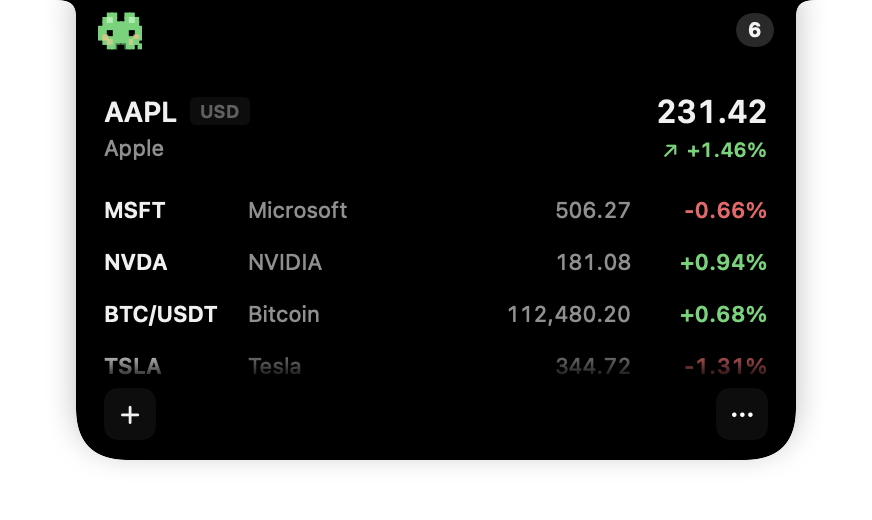
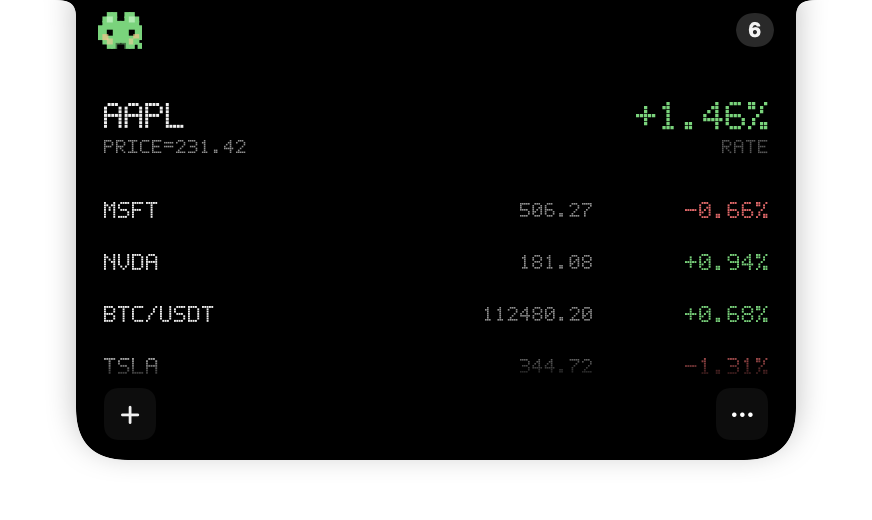
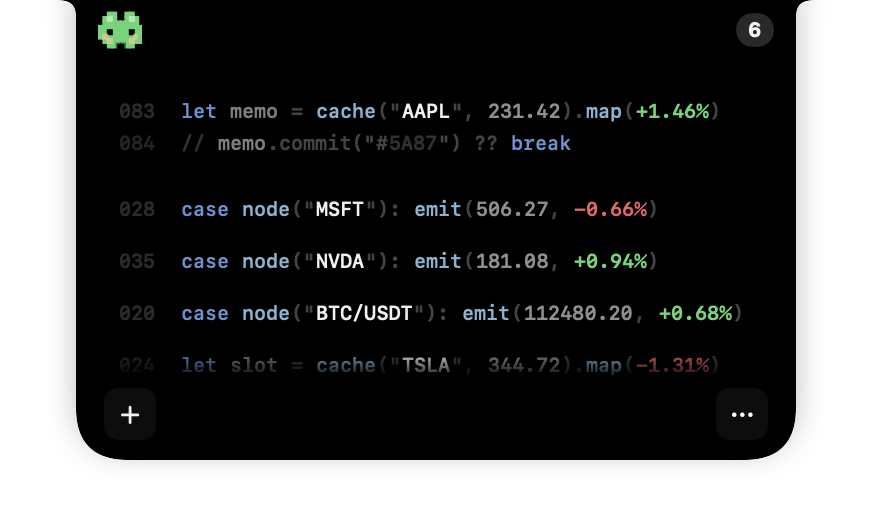
Stock Island production SwiftUI interface captures prepared for our App Store artwork, with fixed sample instruments and prices. Explore the current app during your trial.
Stealth changes the presentation; it does not guarantee that quotes are hidden in a screenshot or screen share. Read the Stealth Mode and sharing limits.
Try an alternative with a small reference list
- Write down the instruments you follow. Include each exchange, currency and crypto pair. The same short symbol can refer to different instruments.
- Identify features you would miss. Retain a tool that supports any essential analysis or trading workflow. A quote watchlist does not replace it.
- Rebuild a small list in Stock Island. Use its existing search and supported data sources. This is manual setup: Stock Island does not offer a TickerNotch watchlist or holdings import.
- Use the seven-day trial during normal work. Check readability, hover interaction and your display setup. Compare the same instrument and timestamp when investigating price differences.
- Choose after the workflow check. Keep your reference list until you are comfortable with the new setup.
The Stock Island setup guide explains the current watchlist flow.
Questions before switching
Is Stock Island a native menu-bar quote item?
No. It uses the notch area or a top floating position. If status-bar placement is essential, include it as a requirement in the broader Mac ticker comparison.
Is a one-time purchase exclusive to Stock Island?
No. TickerNotch also advertises lifetime licensing. Check local prices, the selected edition and which features are included.
Can Stock Island replace a portfolio or trading app?
No. It does not connect a brokerage account, place orders, import holdings or calculate portfolio returns.
Which app is faster or uses less battery?
We have not established comparative measurements. Interface captures and specifications cannot answer that question, and we do not claim a performance advantage.