Match the market check to your work task
| While you are… | A useful setup | When to open another tool |
|---|---|---|
| Writing or reviewing code | A short compact watchlist; normal or code-like Stealth view | You need a chart, company news or a trade |
| Working on a document | Quotes at the top; hover briefly instead of changing windows | The market check needs more attention than a glance |
| Clearing your inbox | The same small list in the notch or floating display | A price needs independent verification |
These are suggested workflows, not measured productivity gains. Stock Island is a market-information display; it does not place orders or calculate portfolio returns.
Start with a small watchlist
- Pick three to five instruments. Keep only the stocks and spot crypto pairs you actually want to check during the workday.
- Confirm each market. Search and check the listing or crypto quote currency before adding it.
- Keep deeper research elsewhere. A compact list is easier to scan than an entire portfolio dashboard.
For installation and market settings, follow the Stock Island setup steps. Up to 100 instruments are supported; no Stock Island account is required.
Choose a view, hover, then return to work
Use the normal view for familiar symbols, prices and percentage changes. Choose Stealth Mode for code-like lines or Pixel Mode for a dot-matrix display. Hover over the island to expand the watchlist, then move away to let it fold back.
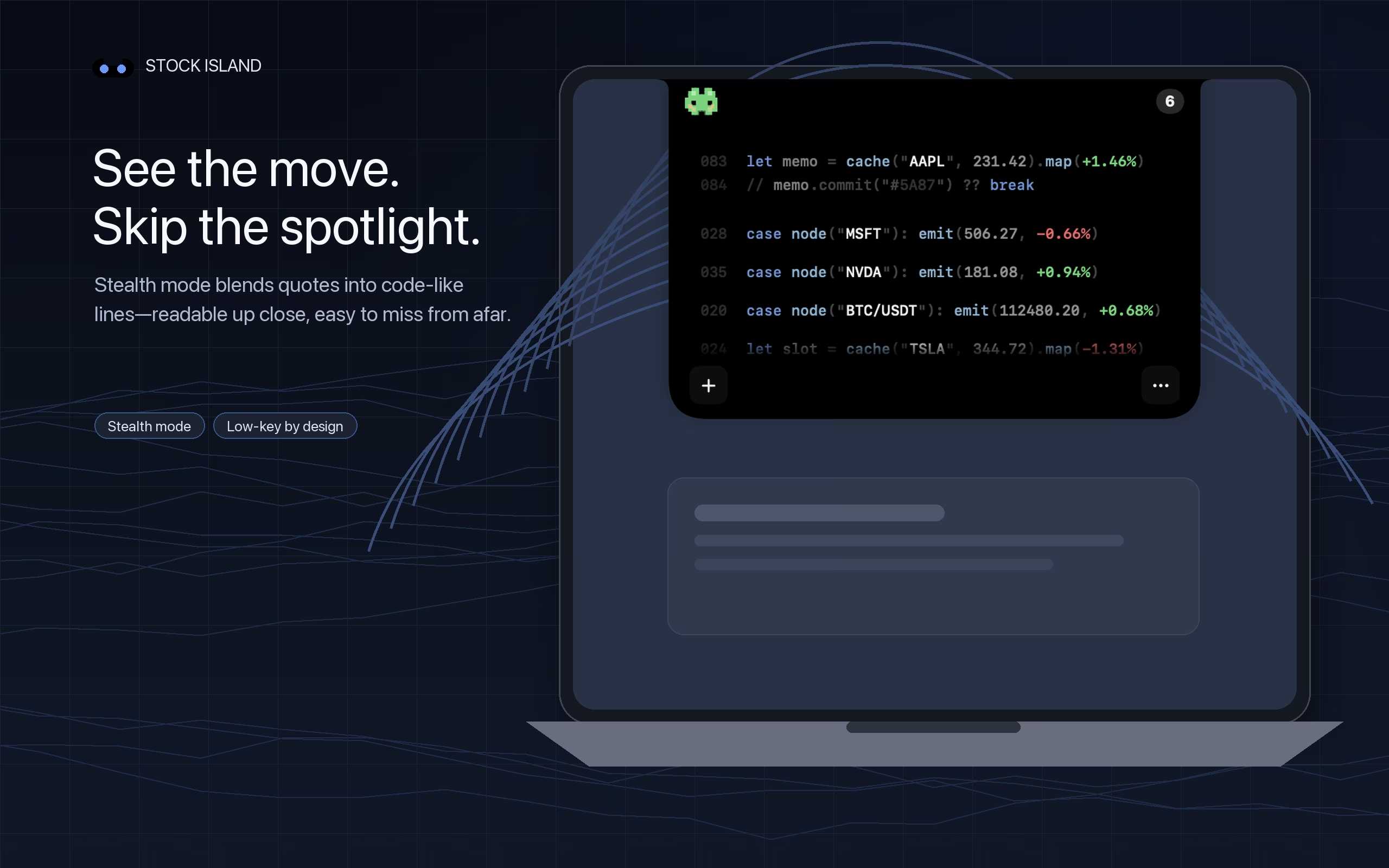
A hardware notch is not required: a notchless Mac or external screen uses the floating ticker. Full-screen apps, desktop transitions and display arrangements can affect visibility. Check your own work setup during the trial rather than assuming the ticker will appear above every window.
Keep quote timing in perspective
Automatic refresh and real-time exchange data are different things. An app can refresh frequently while a provider supplies delayed prices. Supported stocks follow their market sessions; spot crypto availability depends on the network and source.
Use this view for awareness. Before a price-sensitive decision, verify the instrument, timestamp and quote in your broker or exchange. Report a quote issue with the symbol, time and app version if the display stays stale.